
Privacy
Offline, on-device DICOM viewer: your scans never leave the device
Scans are opened and processed on your iPhone or iPad. There is no account, and your images are not uploaded to Ossidex servers. Once a study is imported, you can view it offline. When you share, you can export an anonymized copy.
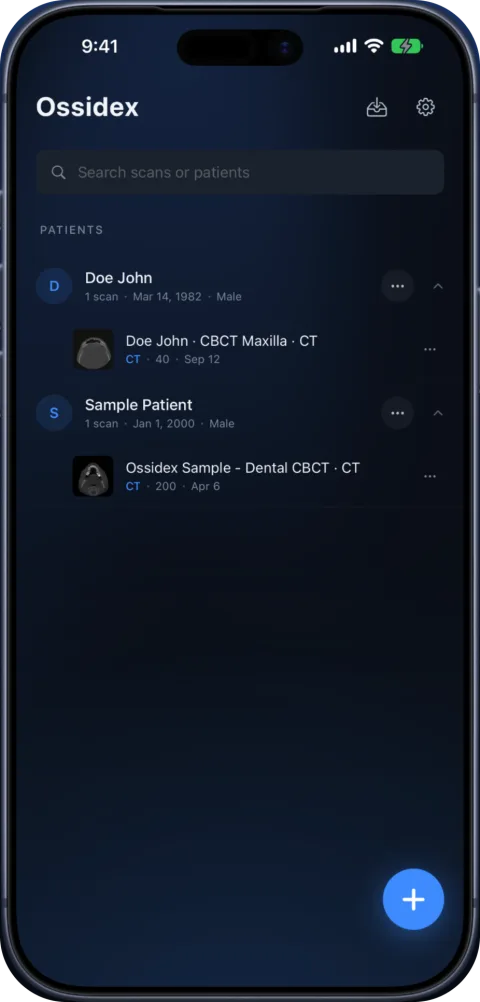
What stays on the device
- All imported studies, series, measurements and reports.
- Decoding, volume building and 3D rendering — done by the device’s CPU and GPU.
- PACS credentials, in the iOS Keychain.
What the app sends
Anonymous usage analytics and crash reports to help us fix problems, and subscription status via Apple and our subscription provider. No images, patient data or DICOM metadata. Full details are in the privacy policy.
Sharing safely
- Use anonymized export to remove patient identifiers before sending a study to a colleague.
- The PDF report can be exported without the patient name.
- Cloud-link and PACS downloads come straight from the provider or your server.
Storing patient data on a personal device may be subject to your organisation’s policies. Check with your compliance officer.
Deleting data
Delete a single study or a whole patient from the library, and the files are removed from the app. Uninstalling the app removes everything it stored. Because there is no account and no cloud copy of your images, there is nothing left to request deletion of on our side.
Anonymous analytics and crash reports contain no images or patient data; they are described in the privacy policy.
Where each kind of data goes
| Data | Where it lives | Sent to us? |
|---|---|---|
| DICOM images and series | Inside the app on your device | No |
| Patient name, IDs and other DICOM tags | Inside the app on your device | No |
| Measurements, arch curves, reports | Inside the app on your device | No |
| Files from cloud links | Downloaded from the provider straight to the device | No — the link and the file do not pass through our servers |
| PACS studies and credentials | Studies in the app; credentials in the iOS Keychain | No — the app talks directly to your server |
| Anonymous usage analytics and crash reports | Analytics and crash-reporting services | Yes, without images, file names or patient data |
Why on-device matters for clinicians
Uploading patient images to a third-party cloud creates questions about data processing agreements, storage location and retention. When the images never leave the device, the question becomes simpler: the scan sits on an iPhone or iPad that is already protected by a passcode, Face ID or Touch ID and by the device’s encryption. There is no Ossidex account that could be breached, and no shared link to a web viewer that could be forwarded.
On-device processing is also faster in practice: once imported, a study opens without waiting for a server, and it works in places with poor reception — basements, operating theatres, aircraft.
Good habits
- Keep your device updated and protected with a passcode and Face ID or Touch ID.
- Delete studies you no longer need; deleting a study removes it from the app.
- Share anonymized copies rather than the original study.
- Follow your organisation’s rules for patient data on mobile devices.
Frequently asked questions
Do I need an account?
No. Ossidex has no accounts.
Can I use it without internet?
Yes, after import. Only link and PACS downloads need a connection.
What happens when I delete the app?
The studies stored in the app are deleted with it. Keep the original disc, archive or link if you may need the study again.
Is the anonymized export really anonymous?
It removes the patient-identifying DICOM tags such as name, ID and birth date from the exported copy. Burned-in text inside the pixels (on some scanned films or screenshots) cannot be removed automatically, so check the images before sharing.
Does Ossidex use my images to train AI?
No. Images are not uploaded to us, so they cannot be used for training.
Can other apps read my studies?
Studies live inside Ossidex’s own storage, which iOS keeps separate from other apps. Files leave the app only when you export or share them.
Related pages
Privacy Policy
How the Ossidex DICOM viewer handles data: scans stay on your device, no account, and what analytics, crash reports and support messages contain.
Mobile PACS viewer: connect iPhone and iPad via DICOMweb
Connect Ossidex to your PACS over DICOMweb: search studies with QIDO-RS, download with WADO-RS, Basic or OAuth sign-in stored in the Keychain.
Patients
Got a CD or link with your scan? View it at home, privately.
About Ossidex
Who builds Ossidex, what the app is for, how we handle your scans, and how we test support for real-world discs from clinics and hospitals.