
Who it’s for
Who uses Ossidex
Ossidex is a DICOM viewer app for iPhone and iPad. Dentists use it to read CBCT at the chair and in consultations, radiologists for a quick look away from the workstation, veterinarians for CT and MRI of their patients, and patients to open the disc or link they were given.
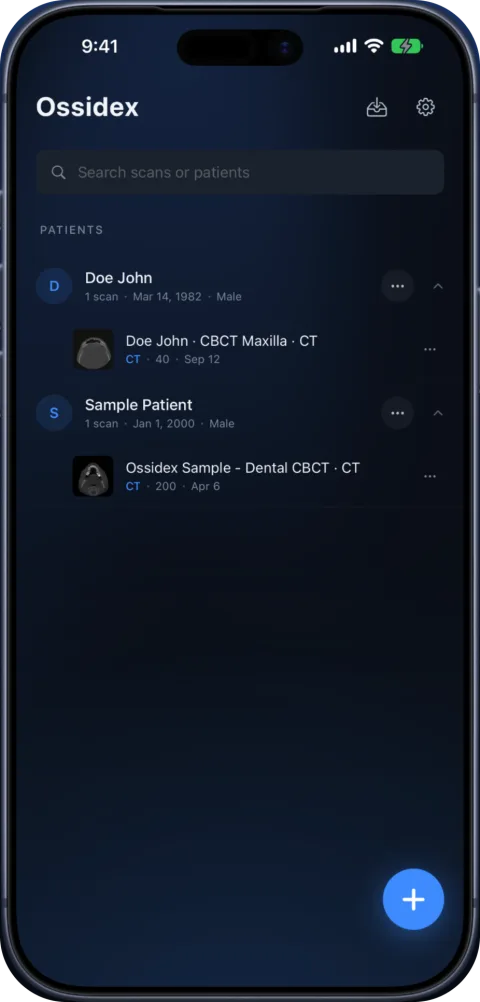
One viewer, different jobs
The app is the same for everyone: import a study from a disc folder, an archive or a link, and view it in 2D, MPR, 3D or the dental arch. What changes is which tools matter. The pages below describe the typical tasks for each group — and what Ossidex does not do.
What is the same for everyone
- Import anything: disc folders with DICOMDIR, ZIP/RAR/7z/ISO archives, NIfTI, cloud links and PACS over DICOMweb.
- On-device: images are processed on the iPhone or iPad; there is no account.
- Free 2D viewer: scrolling, window/level and measurements are free; MPR, 3D, the dental arch and multi-panel are Pro.
- 46 interface languages, iOS and iPadOS 17 or later.
Choose your starting point
Dentists usually start with the panoramic arch and cross-sections on a CBCT. Radiologists use MPR and PACS access for a quick look away from the workstation. Veterinarians open CT, MRI and X-ray from veterinary scanners, which export standard DICOM. Patients use the free 2D viewer to look at the disc or link they were given.
Pick your role
Dentists
CBCT from any scanner at the chair: arch, cross-sections, MPR, 3D and TMJ MRI.
Radiologists
Quick CT and MRI review away from the workstation, PACS via DICOMweb, MPR and 3D.
Veterinarians
Veterinary CT, MRI, CBCT and X-ray DICOM on the device you carry.
Patients
Got a CD or link with your scan? View it at home, privately.
Related pages
Dental CBCT viewer
Panoramic arch, cross-sections, MPR and 3D for cone beam CT from any scanner.
DICOM viewer without a computer: review CT and CBCT on an iPad
Can you review a CT or dental CBCT on an iPad instead of carrying a laptop? What works without a computer, how to get the files on the device, and the limits.
Ossidex features: a full DICOM viewer on iPhone and iPad
Everything Ossidex does: 2D viewing, MPR, 3D rendering, a dental panoramic arch, measurements and PDF reports, cloud-link and PACS import, on-device privacy.
Free DICOM viewer for iPhone and iPad: what’s free, what’s Pro
Ossidex is free to download: import any CT, CBCT or MRI study, view it in 2D and measure. Here is exactly what is free and what Pro adds — no surprises.