
Import
Cloud-link import in Ossidex: supported providers and limits
Cloud-link import is how Ossidex turns a share link into a study on the device: paste a Google Drive (files and folders), Dropbox, OneDrive, iCloud Drive, WeTransfer, Yandex Disk, Mail.ru Cloud or direct download link, and the app resolves it, downloads the file straight from the provider, unpacks any archive and opens every series. Downloads resume if the connection drops. For a step-by-step walkthrough, see how to open a DICOM scan from a Google Drive, Dropbox or WeTransfer link.
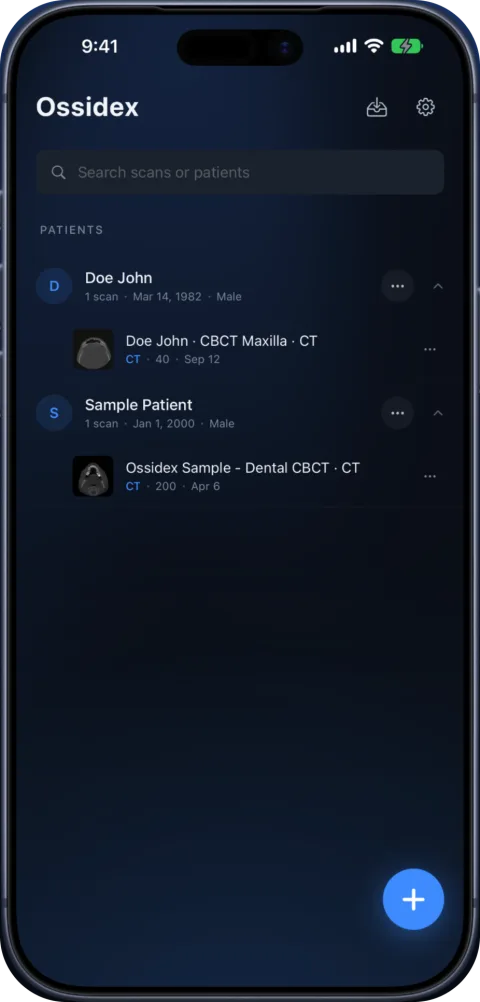
Supported link types
| Provider | Supported |
|---|---|
| Google Drive | Files and shared folders |
| Dropbox | Files and folders |
| OneDrive / SharePoint | Shared files |
| iCloud Drive | Shared files and Mail Drop (not folders) |
| WeTransfer | Transfers (we.tl short links too) |
| Yandex Disk | Public share links |
| Mail.ru Cloud | Files and folders |
| Direct URL | Any link that downloads a file |
| MEGA, Telegram | Recognised, not supported — download the file first |
How to import a link
- Copy the link. Long-press the link in Mail, Messages or WhatsApp and choose Copy.
- Paste it in Ossidex. Tap + on the home screen, choose the link option and paste the link.
- Wait for the download. Download progress is shown as it goes. If the connection drops, the download resumes instead of starting over.
- Open the study. Archives are unpacked, studies are grouped by patient and the first series opens.
When a link will not work
- Some patient portals show a web viewer page instead of a file. Ask the clinic for a download link or a ZIP.
- Links that require signing in to the provider cannot be downloaded — ask for a public share link.
- Expired WeTransfer links return nothing; ask for a new one.
More in the cloud-link guide.
Provider by provider
| Provider | Link forms that work | Good to know |
|---|---|---|
| Google Drive | drive.google.com/file/d/…, open?id=…, shared folders (drive.google.com/drive/folders/…) | Folders download as one study. The link must be shared with “Anyone with the link”. |
| Dropbox | dropbox.com/s/…, dropbox.com/scl/fi/…, shared folders | No Dropbox account needed on the device. |
| OneDrive / SharePoint | 1drv.ms/…, onedrive.live.com/…, *.sharepoint.com shared files | Personal OneDrive and work SharePoint links are both resolved to the file itself. |
| iCloud Drive | icloud.com/iclouddrive/… shared files, Mail Drop links | Shared iCloud Drive folders cannot be downloaded by apps — ask the sender to zip the folder or share the file. |
| WeTransfer | wetransfer.com/downloads/…, we.tl/… short links | Transfers expire after the period the sender chose; an expired link returns nothing. |
| Yandex Disk | disk.yandex.ru/d/…, yadi.sk/… | Public share links. |
| Mail.ru Cloud | cloud.mail.ru/public/… | Files, and folders downloaded as a ZIP. |
| Direct URL | Any https link that returns a file | Clinic servers, university file shares, S3 links and similar. |
| MEGA, Telegram | — | Recognised, with an explanation: MEGA encrypts in the browser and Telegram files live inside the Telegram app. Save the file to Files first, then import it. |
What happens after you paste the link
- The link is resolved. Share pages are turned into the real download address of the file or folder. If the address leads to a web page rather than a file — some patient portals show their own viewer — Ossidex says so instead of importing an HTML page, and suggests asking for a download link or a ZIP.
- The file downloads straight to your device. The transfer goes from the provider to your iPhone or iPad; it does not pass through Ossidex servers, and we never see the link or the file.
- Interrupted downloads resume. If the connection drops or the app goes to the background, Ossidex reconnects and continues from where it stopped — up to three times — instead of starting a large CBCT from zero.
- Archives are unpacked. ZIP, RAR, 7z, TAR/GZ and ISO are opened after download, including archives nested inside archives; the Windows viewer and helper files that come with discs are skipped.
- Studies are grouped. Images are sorted into patients, studies and series by their DICOM identifiers, and the first series opens.
Tips for the sender
- Share the whole disc folder (or a ZIP of it), not a single file — one .dcm is usually one slice.
- Set the share to “anyone with the link”; links that require the recipient to sign in cannot be downloaded by an app.
- For WeTransfer, send it to yourself or copy the link — Ossidex needs the link, not the email.
- Password-protected ZIPs are fine; Ossidex asks for the password once.
Frequently asked questions
Is the file uploaded anywhere by Ossidex?
No. The file is downloaded from the provider straight to your device and processed there.
How many times does a download retry?
If the connection drops, Ossidex reconnects and resumes the download up to three times before asking you to try again; you can also pause and resume it yourself.
Do I need a Google, Dropbox or Microsoft account?
No. Public share links download without signing in to the provider.
Can I keep using my phone while it downloads?
Yes. The download continues in the background and resumes if it is interrupted.
Is link import free?
Yes. Importing from links, like all importing, is free with no limit on the number of studies.
Related pages
Open a scan from a cloud link
Open a CT, MRI or CBCT shared via Google Drive, Dropbox, OneDrive, WeTransfer or iCloud on iPhone or iPad: paste the link in Ossidex to download it.
Open DICOM in ZIP, RAR, 7z or ISO archives on iPhone and iPad
Ossidex unpacks DICOM studies from ZIP, RAR (incl. multi-volume), 7z, TAR/GZ and ISO disc images — including password-protected archives — on iPhone and iPad.
Study won’t open: fixes
Fixes for DICOM studies that will not open: incomplete downloads, only the viewer copied, proprietary files, password archives, portal links, memory.
Offline, on-device DICOM viewer: your scans never leave the device
Ossidex opens and renders scans on your iPhone or iPad. No account, no upload of images to our servers, offline viewing, anonymized export when you share.