
Guide
Online DICOM viewer vs app: when a browser isn’t enough
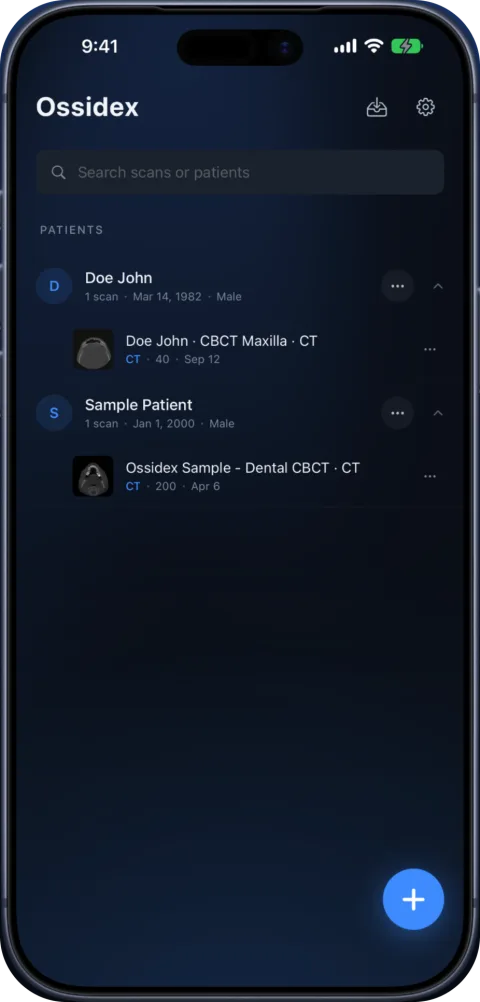
Browser viewers such as IMAIOS, DocOrbit, DicomViewer.net and OHIF open DICOM without installing anything, and several of them process the files locally in the browser. On an iPhone or iPad they struggle with discs, ZIP/RAR archives and large CBCT volumes — an app like Ossidex handles those offline. Ossidex itself is an app, not a website: there is no online Ossidex viewer.
Online DICOM viewers compared
| Viewer | Price | Where your files go | Good for |
|---|---|---|---|
| IMAIOS DICOM Viewer (web) | Free for personal and non-commercial use | Processed locally in the browser (“your files are not uploaded”) | Viewing a study on any computer; same viewer on iOS and Android |
| DocOrbit DICOM viewer | Free, no account | Parsed and rendered locally in the browser | Single files, folders and ZIPs, with measurements |
| DicomViewer.net | Free | Processed locally (“nothing is uploaded”); built on OHIF | Quick look on Mac, Windows or Linux |
| Medicai free online viewer | Free, no registration | Processed in the browser, not uploaded | A quick look before sharing |
| OHIF Viewer | Free, open source (MIT) | Reads from your organisation’s DICOMweb server | Hospitals and research groups with their own archive |
| PostDICOM | Paid plans, 7-day trial | Uploaded to cloud storage (Microsoft Azure regions) | Storing and sharing studies with a team |
| DICOM Library | Free, for education and research | Anonymised in the browser, then uploaded to its server | Sharing teaching cases publicly |
As described on each service’s own site, checked September 27, 2026. “Processed locally” is the vendor’s statement; we did not audit their code.
When a browser viewer is the better choice
- You are at a computer you do not own and cannot install software — a browser viewer that works locally leaves nothing behind.
- You need a quick look at a few files on Windows, Mac, Linux or a Chromebook.
- Your hospital already runs OHIF or a web PACS — use it; it is connected to the archive.
- You need to share with a team and a cloud platform is approved by your organisation.
When an app is the better choice
- The scan is on your iPhone or iPad. Mobile browsers cannot pick a whole disc folder the way a desktop browser can, and memory limits in mobile Safari make large volumes unreliable.
- It arrived as a RAR, 7z or ISO, or as a ZIP inside a ZIP — Ossidex unpacks these on the device; most browser viewers expect plain DICOM or ZIP.
- It is a large CBCT or multi-series study. A native app decodes JPEG 2000 and HTJ2K with the device’s CPU and GPU and caches the volume for MPR and 3D.
- You need it offline — in a clinic basement, on a plane, or at the chair with poor reception. An imported study opens without a connection.
- You open studies every day. A library of patients and studies on the device beats re-opening files in a browser tab.
Open CT, dental CBCT and MRI from any scanner on the iPhone or iPad you already carry — no laptop needed.
Privacy: what “upload” means for a medical scan
A DICOM file carries the patient’s name, birth date, ID and study details in its header. Three models exist:
| Model | Example | What leaves your device |
|---|---|---|
| Local in the browser | IMAIOS web, DocOrbit, DicomViewer.net | Nothing, according to the vendor — the page code runs on your computer |
| Cloud upload | PostDICOM, DICOM Library, cloud PACS | The study (anonymised first in some services) is stored on the provider’s servers |
| Native app on the device | Ossidex | Nothing — images are processed on the iPhone or iPad and not uploaded to Ossidex servers |
Before opening a patient’s scan in any online tool, check its privacy policy, whether it stores files and where, and whether your organisation allows it. If you only need to share a picture, an anonymised export or a PDF report avoids sending the full study.
Opening the same study in Ossidex
- Install Ossidex. Free on the App Store for iPhone and iPad (iOS/iPadOS 17 or later). No account.
- Bring the files. Save the ZIP or folder to Files, plug in a USB-C stick, or copy the share link you would have opened in the browser.
- Import. Tap + and choose the folder, archive or link. Archives are unpacked and every series is listed.
- View offline. Scroll in 2D and measure for free; MPR, 3D and the dental arch are Pro. The study stays on the device.
Frequently asked questions
Is there an online version of Ossidex?
No. Ossidex is an app for iPhone and iPad; studies are processed on the device. For a computer, use a desktop or browser viewer.
Are online DICOM viewers safe?
Some process files locally in the browser and upload nothing; others upload the study to their servers. Read the service’s privacy statement before opening patient data, and prefer anonymised copies.
Can I open a DICOM CD in an online viewer?
On a computer with a disc drive, yes: many browser viewers accept a folder or ZIP. On an iPhone or iPad there is no disc drive — copy the disc once or ask for a link, then import it in an app.
Do online viewers work on an iPad?
Many open in Safari, but picking a disc folder, unpacking RAR/7z and handling large volumes are limited in mobile browsers. A native app is more reliable for those.
Sources
Related pages
Best DICOM viewers 2026
14 desktop, web and mobile DICOM viewers compared: platforms, price, open source, offline use, PACS and iPad.
OHIF Viewer vs a native iPad app
OHIF is a free open-source web DICOM viewer that needs a DICOMweb server. Ossidex is a native iPhone and iPad app for local files, discs and links.
DICOM viewer without a computer: review CT and CBCT on an iPad
Can you review a CT or dental CBCT on an iPad instead of carrying a laptop? What works without a computer, how to get the files on the device, and the limits.
Offline, on-device DICOM viewer: your scans never leave the device
Ossidex opens and renders scans on your iPhone or iPad. No account, no upload of images to our servers, offline viewing, anonymized export when you share.
Free DICOM viewer for iPhone and iPad: what’s free, what’s Pro
Ossidex is free to download: import any CT, CBCT or MRI study, view it in 2D and measure. Here is exactly what is free and what Pro adds — no surprises.