
OHIF alternative
OHIF Viewer alternative: a native DICOM app for iPhone and iPad
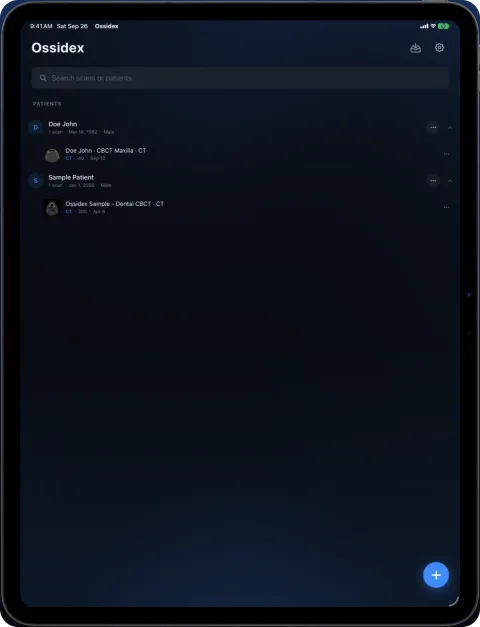
OHIF is a free, open-source DICOM viewer that runs in the web browser and reads studies from a DICOMweb server; there is no native OHIF app. Ossidex is a native iPhone and iPad app that opens files, disc folders, archives and cloud links directly on the device, and can also query a DICOMweb PACS. All options side by side: best DICOM viewers in 2026.
What OHIF does well
- Zero-footprint: runs in any modern browser, nothing to install.
- Free under the MIT licence, maintained by the Open Health Imaging Foundation at Massachusetts General Hospital.
- Rich features for research and enterprise: DICOMweb, MPR, 3D, segmentation, PET/CT and microscopy.
- Extensible — many PACS vendors and research platforms build on it.
OHIF vs Ossidex
| OHIF Viewer | Ossidex | |
|---|---|---|
| Platform | Web browser | iPhone, iPad (iOS/iPadOS 17+) |
| Where studies come from | A DICOMweb server set up by your organisation | Local files, disc folders, archives, cloud links, or DICOMweb PACS |
| Offline use | Needs the server | Yes, once imported |
| Price | Free, open source | Free download; Pro subscription (monthly or yearly) for MPR, 3D, arch |
| MPR / 3D | Yes | Yes (Pro): linked MPR, oblique, slab; 3D volume rendering |
| Dental panoramic arch | Not listed | Panoramic arch with cross-sections, tooth numbering (Pro) |
Checked: September 2026, on the vendor sites and the US App Store (sources below). Prices are as listed on the vendor site, September 2026, and may change.
The server question
OHIF is a viewer, not an archive. It reads studies from a DICOMweb endpoint — for example Orthanc with the DICOMweb plugin, dcm4chee, a cloud healthcare API or a commercial PACS. If your organisation already runs one, OHIF gives every browser access with nothing to install, which is why many PACS vendors and research platforms embed it.
If you only have a disc, a ZIP or a link, OHIF needs somebody to load those files into a server first. A native app avoids that step: Ossidex reads the files directly on the iPhone or iPad.
Local files in OHIF
OHIF’s public demo can open local files in the browser, and services such as DicomViewer.net build on OHIF to do the same, but day-to-day OHIF deployments are designed around a server. On an iPad, a native app avoids both the server and the browser’s memory limits for large studies. What Ossidex imports — disc folders, archives, share links and DICOMweb — is listed on cloud-link import and formats. Browser options are compared in online DICOM viewer vs app.
Using both
- At the institution: read in OHIF from the archive in a browser.
- Away from it: connect Ossidex to the same DICOMweb endpoint (over VPN if required) and download the study once; it then opens offline.
- Files from outside: patient discs and colleagues’ links go straight into Ossidex without touching the archive.
Dental CBCT and mobile use
OHIF’s MPR and 3D are general-purpose and run in desktop browsers best. Ossidex is built for touch on iPhone and iPad, and adds a dental panoramic arch with numbered cross-sections, tooth numbering and an arch PDF report. How the arch works.
Which to choose
If your hospital or research group runs an OHIF deployment, use it — it is excellent in a browser. If you have files on a disc, in a ZIP or behind a share link, and no server to put them on, a native app like Ossidex opens them directly on iPhone or iPad.
Frequently asked questions
Can I open a local DICOM file in OHIF on an iPad?
OHIF is designed around DICOMweb servers. For local files on an iPad, a native app such as Ossidex is simpler.
Does Ossidex connect to the same DICOMweb server?
Yes, if the server exposes DICOMweb and is reachable from the device. Ossidex supports QIDO-RS search and WADO-RS download with sign-in stored in the iOS Keychain. PACS details.
Is OHIF free?
Yes, OHIF is open source under the MIT licence.
Does OHIF work on an iPad browser?
OHIF runs in modern browsers, including Safari on iPad, when it is connected to a DICOMweb server. Performance with large volumes depends on the device and the network.
Do I need a server for Ossidex?
No. Ossidex opens local files, discs, archives and links without a server; PACS is optional.
Is Ossidex open source like OHIF?
No. Ossidex is a commercial app with a free tier.
Sources
Related pages
Best DICOM viewers 2026
14 desktop, web and mobile DICOM viewers compared: platforms, price, open source, offline use, PACS and iPad.
Online DICOM viewer vs app
Browser viewers compared, what uploading means for privacy, and when an app is the better tool.
Mobile PACS viewer: connect iPhone and iPad via DICOMweb
Connect Ossidex to your PACS over DICOMweb: search studies with QIDO-RS, download with WADO-RS, Basic or OAuth sign-in stored in the Keychain.
Weasis alternative for iPhone and iPad
Weasis is a free open-source DICOM viewer for Windows, macOS and Linux, with no iOS app. Ossidex opens the same studies on iPhone and iPad. Comparison 2026.
Open DICOM files on iPhone
Open .dcm and other DICOM files on iPhone from Mail, WhatsApp, Telegram, AirDrop or the Files app with Ossidex, a free DICOM viewer for iPhone and iPad.