
Format guide
DCM file viewer: what a .dcm file is and how to open it on any device
A .dcm file is a DICOM medical image — usually one slice of a CT or MRI series, or a single X-ray. Any DICOM viewer opens it: MicroDicom or RadiAnt on Windows, Horos or Weasis on a Mac, a browser viewer, or Ossidex on iPhone and iPad. To see a whole scan, open all the .dcm files of the series together, ideally the whole folder. Received one in Mail, WhatsApp or Telegram on an iPhone? Follow how to open DICOM files on iPhone.
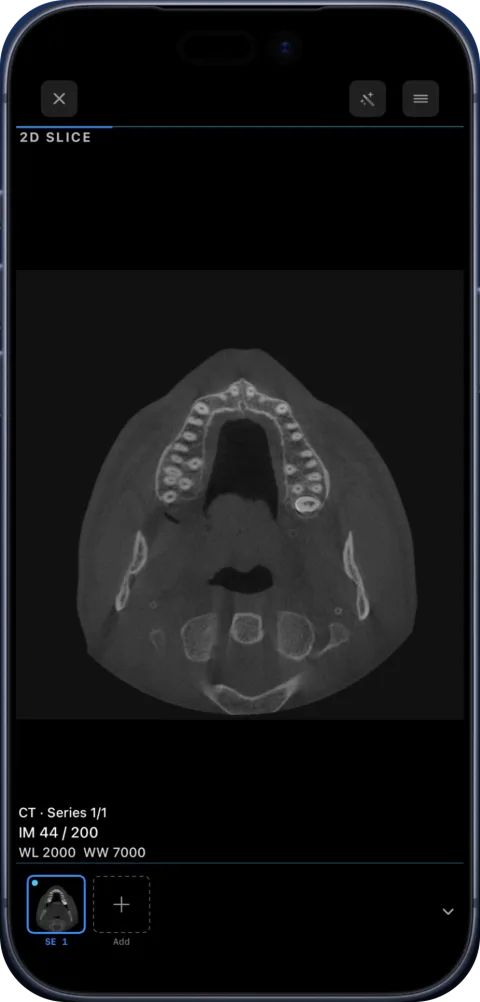
What is inside a .dcm file
A .dcm file has two parts: a header with patient, study and scanner details (modality, date, pixel spacing, slice position) and the pixel data, often compressed with JPEG 2000 or JPEG Lossless. Photo apps understand neither, which is why a .dcm looks like an unknown document until you open it in a DICOM viewer. Technical background: what is a DICOM file.
Why a single .dcm shows only one image
CT and MRI scanners store one slice per file. A single .dcm is one slice; the scan is the whole set. If someone sent you one file, ask for the complete series as a ZIP or link.
On Windows or Mac
Desktop viewers such as MicroDicom and RadiAnt (Windows), or Horos and Weasis (Mac), open .dcm files. See how they compare: MicroDicom, RadiAnt, Horos.
DCM to JPG
In Ossidex, open the image and use Export → Image, or export the whole series as a ZIP of JPEG images or a PDF. JPEG is fine for showing someone a picture; it drops the metadata needed for measurement.
Opening .dcm files on each platform
| Platform | Options |
|---|---|
| iPhone / iPad | Ossidex (import from Files, Mail, messengers, links) |
| Mac | Horos, Weasis, OsiriX; the Ossidex iPad app on Apple silicon Macs (“Designed for iPad, not verified for macOS”) |
| Windows | MicroDicom, RadiAnt, Weasis |
| Browser | IMAIOS, DocOrbit or DicomViewer.net for local files; OHIF with a DICOMweb server |
See the neutral overview of the best DICOM viewers in 2026 and online viewers compared.
Where .dcm files come from
| Source | What you typically get |
|---|---|
| Hospital or imaging centre disc | Folders of files, often without the .dcm extension, plus a DICOMDIR |
| Dental CBCT software export | One multi-frame .dcm file or hundreds of single-frame .dcm files |
| Email or messenger | A few .dcm files or a ZIP |
| Cloud link | A ZIP or a folder of .dcm files |
| PACS download | Studies fetched directly by the viewer |
Files without an extension
Many discs store images as IM000001 or long numeric names with no extension at all. That is normal: DICOM does not require an extension. Ossidex reads the content, so you do not need to rename anything.
Recent versions also handle the most common “it won’t open” cases from real discs: if you pick the disc’s Windows viewer (.exe) instead of the images, Ossidex suggests importing the whole folder; DICOM files without unique identifiers (UIDs) and JPEG images without a file extension are still imported; and helper files that come with the disc viewer no longer trigger a password prompt.
Sending a .dcm to someone else
A .dcm carries patient details in its header. Before sending, use Ossidex’s anonymized export, which writes a copy without identifying tags. For someone without a DICOM viewer, export JPEG images or a PDF report instead.
Frequently asked questions
Is a .dcm file safe to open?
It is an image file, not a program. It may contain patient details, so share it carefully.
My .dcm will not open.
It may be incomplete (partly downloaded) or use an unusual structure. See troubleshooting.
Someone sent me dozens of .dcm files in a chat — how do I keep them together?
Save them all to one folder in Files (or ask for a ZIP) and import the folder. Ossidex puts them back into series using their DICOM identifiers, even if the file names are random.
Can I open .dcm files offline?
Yes. Once imported, studies open without an internet connection.
How big is a .dcm file?
A single CT slice is typically a few hundred kilobytes; a multi-frame CBCT file can be hundreds of megabytes.
Related pages
What is a DICOM file? The medical imaging format explained
DICOM is the standard file format for medical images like CT, MRI and X-ray. What is inside a DICOM file, how studies and series work, and how to open one.
Open DICOM files on iPhone
Open .dcm and other DICOM files on iPhone from Mail, WhatsApp, Telegram, AirDrop or the Files app with Ossidex, a free DICOM viewer for iPhone and iPad.
NIfTI viewer for iPhone and iPad: open .nii and .nii.gz files
Open NIfTI-1 volumes (.nii, .nii.gz) on iPhone and iPad with Ossidex: correct orientation, MPR and 3D, label maps and segmentation masks as layers.
MicroDicom alternative for Mac, iPhone and iPad
MicroDicom is a Windows DICOM viewer with no native Mac or iOS version. Ossidex opens the same studies on iPhone and iPad. Honest comparison, checked 2026.
Online DICOM viewer vs app
Browser viewers compared, what uploading means for privacy, and when an app is the better tool.