
Practical guide
How to move a DICOM study from iPhone to iPad
Keep the original DICOM folder or archive, copy it to the iPad through Files or AirDrop, then import that copy into Ossidex. Restoring Pro restores access to subscription tools; it does not transfer the studies in your iPhone library. Ossidex has no automatic cross-device study sync.
Transfer the complete study
- Find the original export. Use the full folder or ZIP saved in Files, or download the clinic’s original export again. DICOMDIR alone is an index; include its neighbouring image folders.
- Send the folder or archive. Share the ZIP through AirDrop, or make the complete folder available in Files on the iPad. For AirDrop, keep the devices nearby with Wi-Fi and Bluetooth on and follow any acceptance or code prompt.
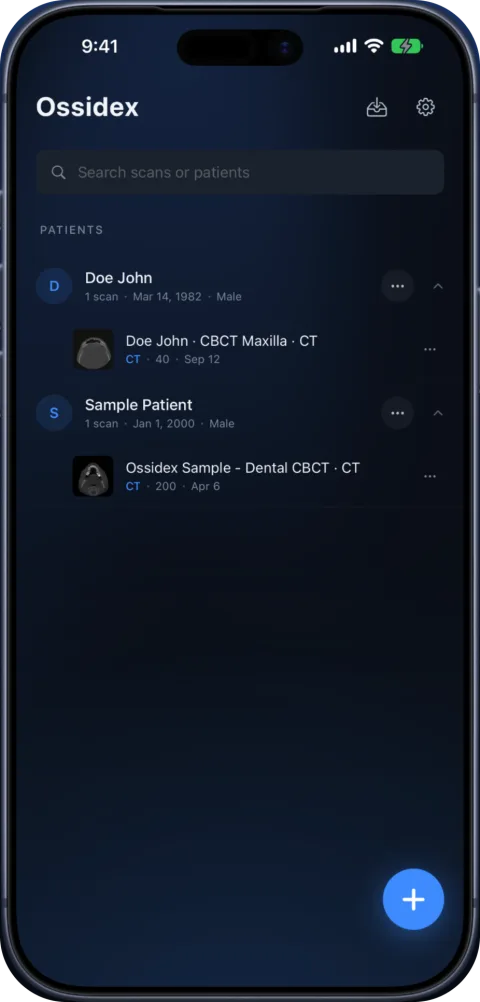
- Import on the iPad. In Ossidex, use + and choose the folder or archive from Files. Wait until import finishes. Download a cloud placeholder locally first if Files has not finished fetching it.
- Check before deleting anything. Open the expected study and series, scroll through the images and try reopening without a connection. Keep the original export until you have checked the copy.
When you only have the imported copy
A PDF, screenshot or JPEG export is a presentation of images, not the original DICOM volume. To retain the complete source study, ask the clinic for its DICOM export again. If you use Ossidex’s anonymized study export, review the resulting copy and its images before sharing it; identifying metadata is intentionally changed.
Restore tools separately
For Pro, use the Apple Account that purchased the subscription and choose Restore Purchases in Ossidex settings. Import and 2D viewing remain free. See Free and Pro for export and PACS limits.
Frequently asked questions
Will installing Ossidex on iPad copy my iPhone studies?
No. Import the study files on the iPad separately; subscription access and the local study library are different.
Can I use a PDF to recover the 3D volume?
No. A rendered report does not preserve the original DICOM slice data and geometry. Get the original export.
Sources
Related pages
Open a DICOM CD on iPhone or iPad
Open a CT, MRI or CBCT disc from a hospital or dental clinic on iPhone or iPad: copy the disc folder, import it in Ossidex, and skip the Windows viewer.
DICOMDIR: what it is and how to open it on iPhone, iPad or PC
A DICOMDIR is the index file on a medical imaging disc. Learn what it contains, why it sometimes fails, and how to open the whole disc on iPhone or iPad.
DICOM viewer without a computer: review CT and CBCT on an iPad
Can you review a CT or dental CBCT on an iPad instead of carrying a laptop? What works without a computer, how to get the files on the device, and the limits.
Ossidex app pricing: free to view, Pro for MPR, 3D and the arch
Ossidex is free to download with 2D viewing and measurements. Pro is an optional auto-renewing subscription that adds MPR, 3D, the panoramic arch and more.