
Carestream Dental
Open Carestream CS 3D Imaging CBCT on iPad and iPhone
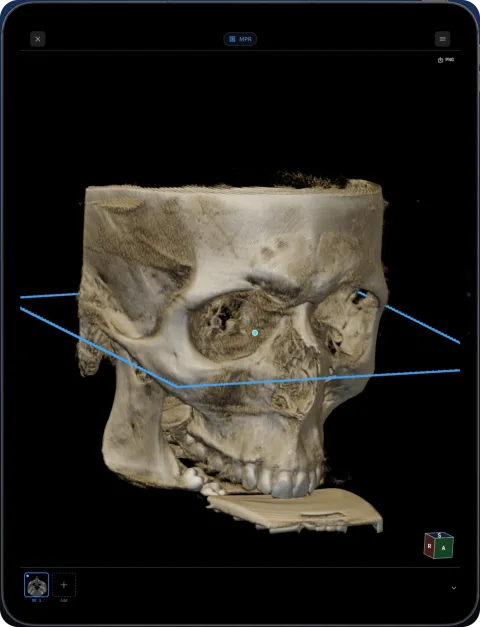
Carestream discs usually include CS 3D Imaging Lite, a Windows viewer started with ViewData.exe. To open the same CBCT on iPad or iPhone, use its DICOM files in Ossidex, a DICOM viewer app for iPhone and iPad, which shows the volume in MPR, 3D and a panoramic arch.
What a CS 3D Imaging disc contains
According to Carestream Dental’s CS 3D Imaging user guide, you can share a volume in two ways:
- Export to DICOM — standard DICOM files, with options to create a
DICOMDIR, anonymise and compress. - Export to a compact disc or USB — writes the volume together with CS 3D Imaging Lite, a free Windows viewer that the recipient starts with
ViewData.exe.
Ossidex reads standard DICOM, so a DICOM export always works. On a Lite disc, Ossidex looks for DICOM files among the data and skips the viewer program. If a disc holds only data in the viewer’s own format, ask for a DICOM export.
A note on names: in 2022 DEXIS acquired Carestream Dental’s intraoral scanner line. CS 3D Imaging remains a Carestream Dental product.
How to open a CS 3D scan in Ossidex
- Export the volume as DICOM. In CS 3D Imaging, export the volume to DICOM; creating a DICOMDIR is fine. Or use the disc or USB stick you were given.
- Copy the whole export. Copy the folder (or the entire disc) to iCloud Drive or a USB-C drive, or zip it and share a link.
- Import. In Ossidex tap +, pick the folder or archive, or paste the link.
- View. Open the CBCT and use MPR, 3D or the arch view with cross-sections.
Working with a CS 3D volume on iPad
Carestream units such as the CS 8100 3D, CS 8200 3D and CS 9600 produce volumes of different sizes, from a few teeth to the whole skull. Small fields of view are quick to import and ideal for endodontic questions in MPR; larger volumes are best read in the arch view, where the panorama and numbered cross-sections give the overview you would get in CS 3D Imaging’s dental views. Measurements use the pixel spacing from the export. Nerve tracings, implant simulations and reports made in CS 3D Imaging stay in that program.
To pass a scan to a colleague who uses an iPad, a zipped DICOM export shared as a link is usually simpler than a disc.
Common problems
- Only ViewData.exe opens anything — the disc may not include plain DICOM. Request a DICOM export; see disc with only an .exe viewer.
- STL files — CS 3D Imaging can export scanned objects as STL. Those are surface models, not scans; Ossidex opens the DICOM volume, not STL.
- Compressed DICOM — JPEG and JPEG 2000 compressed exports open normally.
CS 3D Imaging is a trademark of Carestream Dental. Ossidex is an independent viewer and is not affiliated with, endorsed by or sponsored by Carestream Dental. Vendor details below come from the vendor’s public documentation and may change between software versions.
Frequently asked questions
Is there a CS 3D Imaging app for iPad?
We did not find an official Carestream iPad viewer for CBCT. Ossidex opens CS 3D DICOM exports on iPad and iPhone.
Can I open a Carestream disc on a Mac?
CS 3D Imaging Lite is a Windows program. On a Mac you can copy the disc folder to iCloud Drive and open it in Ossidex on your iPad.
Does anonymised export still open?
Yes. Anonymisation removes patient details, not the image data.
Sources
Related pages
Open CBCT from any scanner
What is on a CBCT disc, what to export, and vendor-by-vendor instructions.
Dental CBCT viewer
Panoramic arch, cross-sections, MPR and 3D for cone beam CT from any scanner.
Dentsply Sirona Sidexis / Galileos
Wrap&Go discs and DICOM exports from Sidexis 4 and Galileos.
Vatech Ez3D-i
Ez3D-i discs and exports with DCM files and the Simple Viewer.
MPR and 3D volume rendering on iPhone and iPad
Multi-planar reconstruction with linked crosshairs, oblique planes and slab MIP, plus 3D volume rendering with presets and clipping, for CT, CBCT and MRI.
Disc with only a Windows .exe viewer
Dental and hospital discs often ship a Windows-only viewer. The images next to it are standard DICOM — copy the whole folder and open it on iPad, iPhone or Mac.